Export vehicles to Excel
Use this page when you need to download the current vehicle list as an Excel (.xlsx) file. The export uses the filters currently applied on the list page.
Assumes: you are signed in and have vehicle-index.
1. Open the list
- Open
/assets/vehicle - (Optional) set filters and click Search
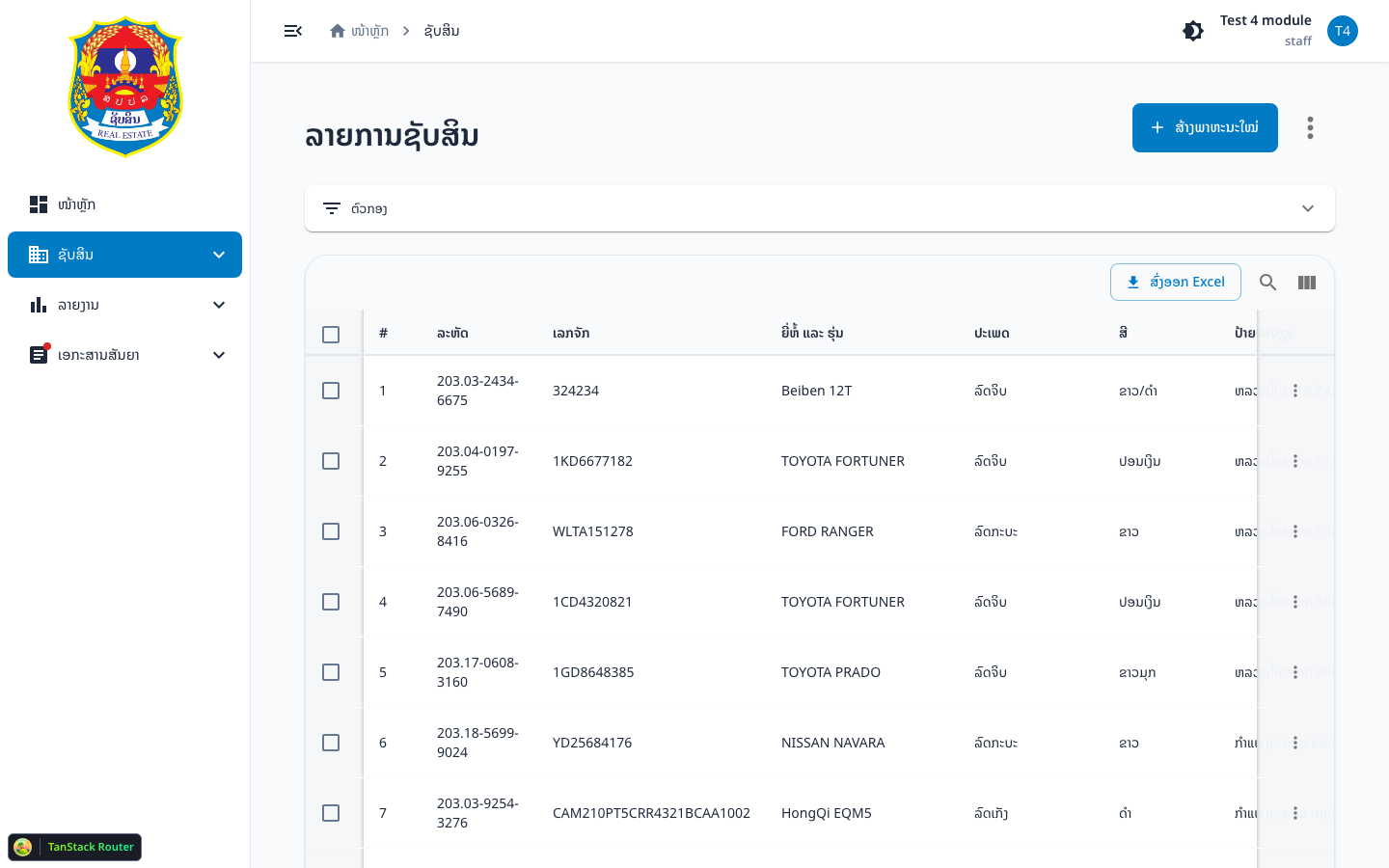
2. Click Export to Excel
- In the table toolbar, click Export to Excel

3. Wait for progress
- A progress dialog shows while data is fetched
- The app loads vehicles page by page (
page_size = 500) using current filters - You can Cancel during fetch
- On success: success toast + browser downloads the
.xlsxfile
4. Verify it worked
- An Excel file is downloaded
- Rows match the current filters (including
status)
Common problems
| Symptom | Cause | Fix |
|---|---|---|
| Export failed toast | network / API | Retry; check filters |
| Slow / stuck | many pages | Wait, or Cancel and narrow filters |
| Empty / few rows | filters too narrow | Reset or widen filters |