List and filter vehicles
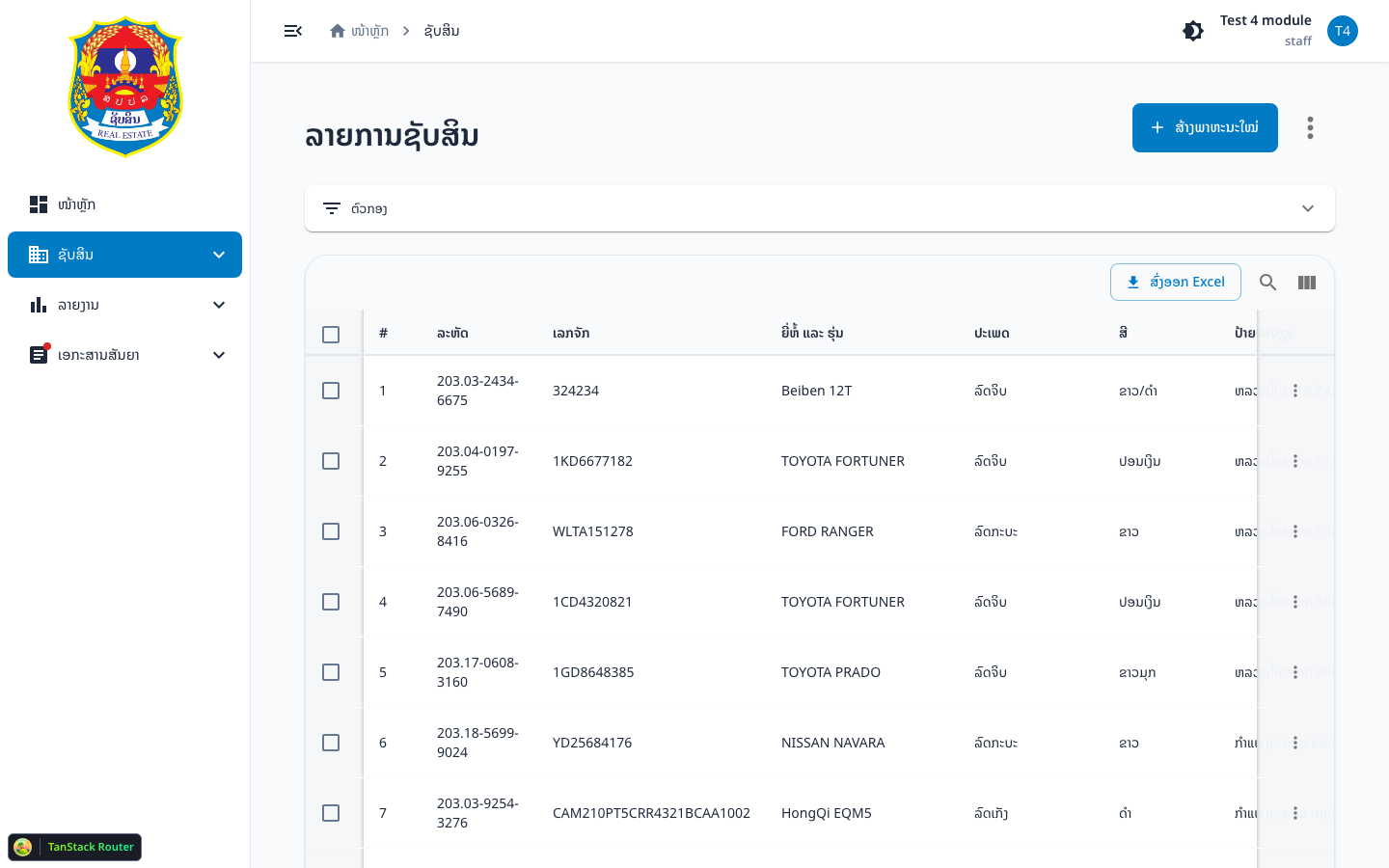
Use this page when you need to find vehicles, apply filters, or use row actions (view, edit, move plate).
Assumes: you are signed in to Admin and have vehicle-index.
1. Open the list
- Go to Assets → Vehicles (
/assets/vehicle) - You see the vehicle table and a filter accordion
2. Open filters
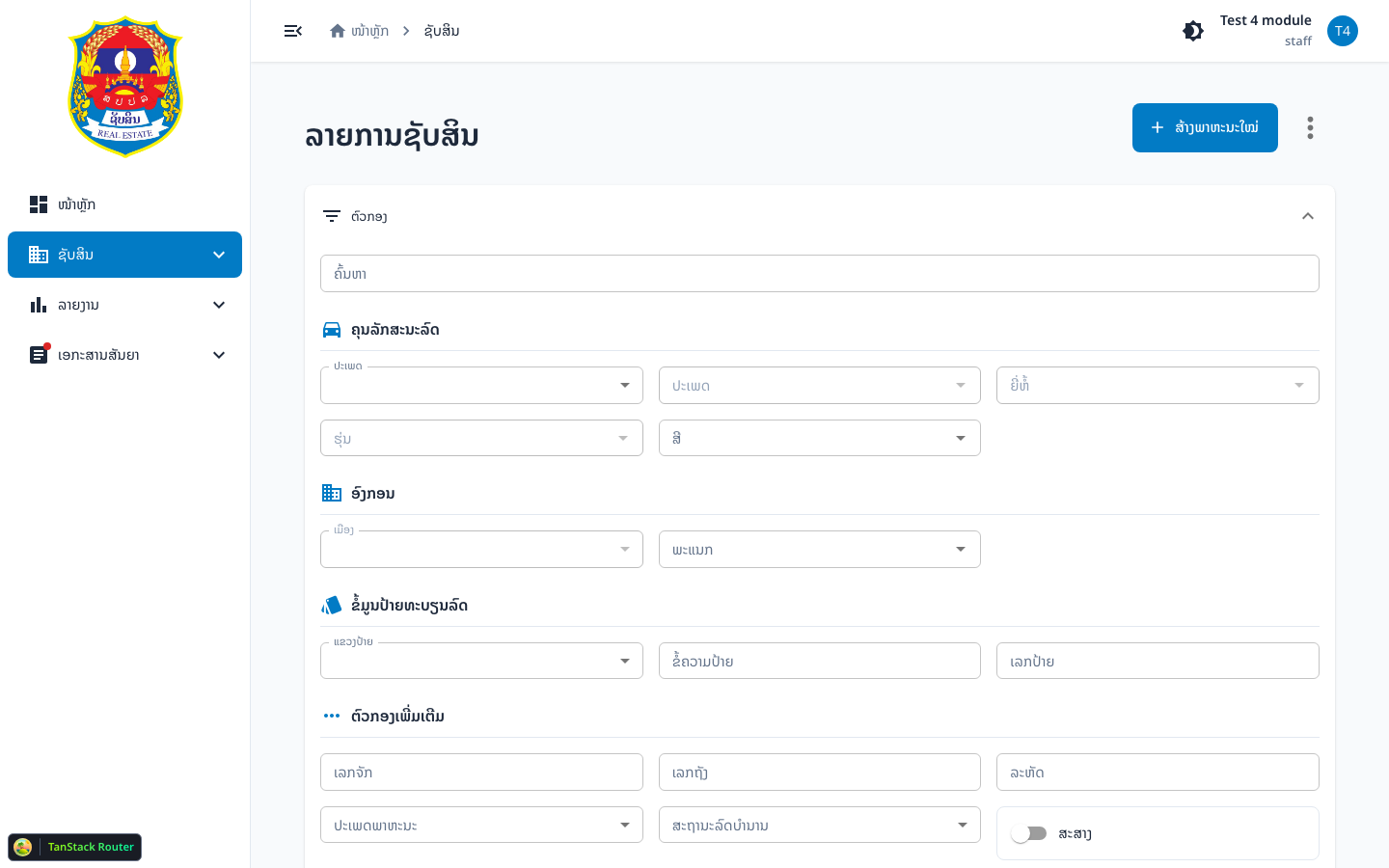
- Click the Filters accordion header to expand the panel
- Fill in the conditions you need
- Click Search — the app updates URL search params and resets to page 1
- Click Reset to clear all filters
3. Filter groups
General search
Field search — free-text search across multiple fields.
Vehicle attributes
| Field | Notes |
|---|---|
asset_type_id | Asset type (scoped to registration_category_id = 1) |
category_id | Category — select asset type first |
brand_id | Brand — select asset type first |
model_id | Model — select brand first |
color_id | Color |
Organization
Uses OrganizationFilter with level:
level—CENTER/PROVINCE/DISTRICTministry_id,maindepart_id,depart_idprovince_id,district_id
Plate information
| Field | Notes |
|---|---|
plate_province_id | Plate province |
plate_text | Plate letters |
plate_no | Plate number |
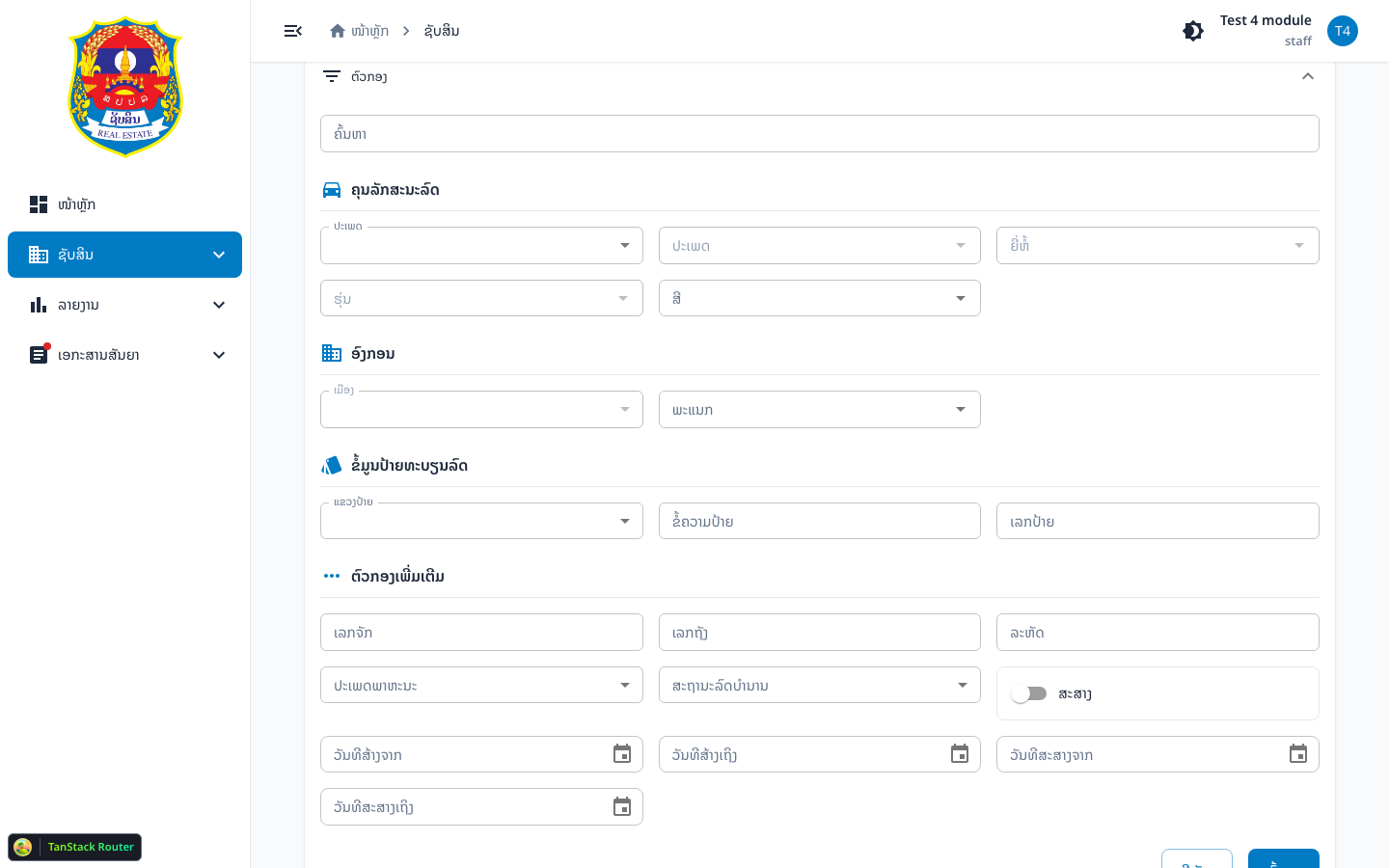
Additional filters
| Field | Notes |
|---|---|
registration_number | Registration number |
tank_number | Tank / engine number |
code | Vehicle code |
vehicle_kind | government or government_project |
retired | Active / retired |
status (Export switch) | When on → only exported vehicles (export) |
start_date / end_date | Created-date range |
export_start_date / export_end_date | Export-date range |
4. Row actions
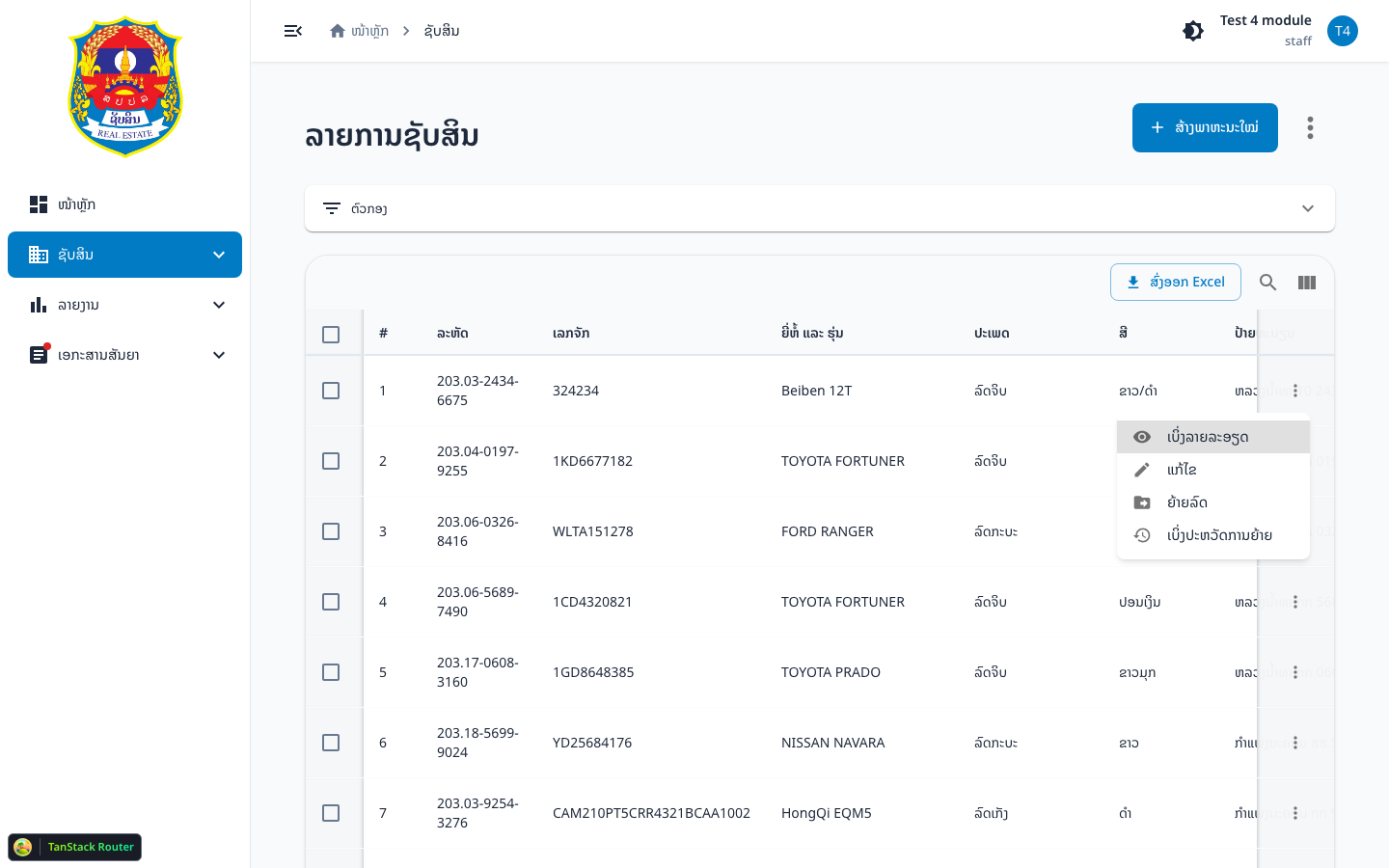
Click the ⋮ icon on a row to open the menu:
| Action | Permission | Result |
|---|---|---|
| View detail | vehicle-index | Goes to /assets/vehicle/$vehicleId |
| Edit | vehicle-edit | Goes to /assets/vehicle/$vehicleId/edit |
| Move plate | vehicle-edit | Opens move-plate dialog |
| Movement history | vehicle-index | Goes to movement-logs |
note
If lot_status = in_progress, the vehicle is in an active sticker lot — some actions may be limited.
5. Table toolbar
When multiple rows are selected you can:
- Batch export — export selected vehicles with export category, date, and attachment
- Export Excel — download the list as Excel
- Create / add Lot sticker — when in lot-sticker mode
Verify it worked
- After Search: the URL contains search params matching your filters
- The table shows rows that match the conditions
- After Reset: filters clear and the full list returns