Contract list
Permission needed: View
Open the list
Click Contract registration in the left menu, then Contract registration.
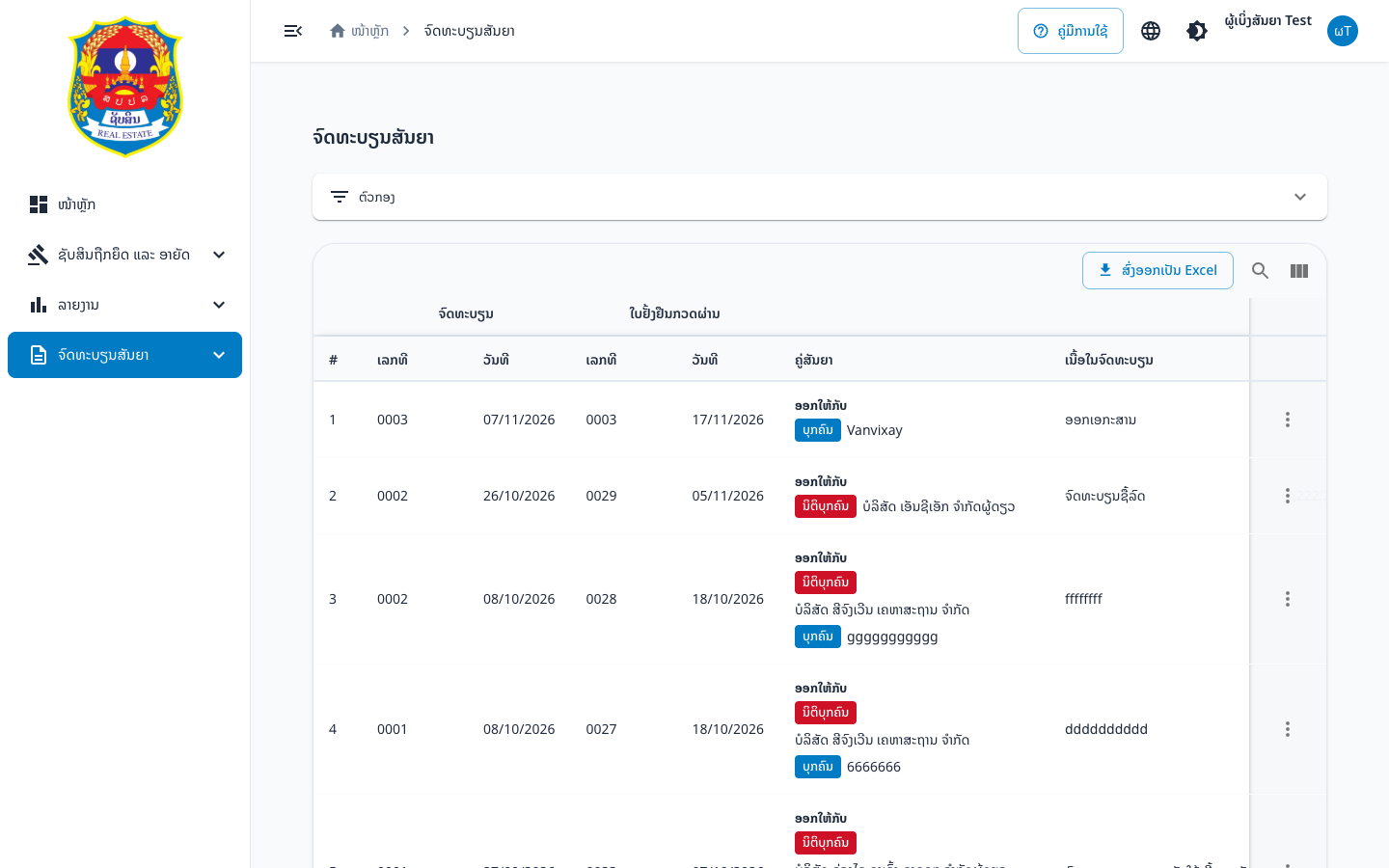
Each row is one contract. The table shows:
- Registration — registration number and date
- Verification certificate — certificate number and date
- Contract parties — who the contract is issued to
- Registration content — what the contract is about
- Contract value and registration value (scroll the table to the right)
The table is wide, so scroll right to see the other columns. The magnifier and column buttons above the table search or choose which columns to show.
Search and filter
Click the Filters bar to open it.
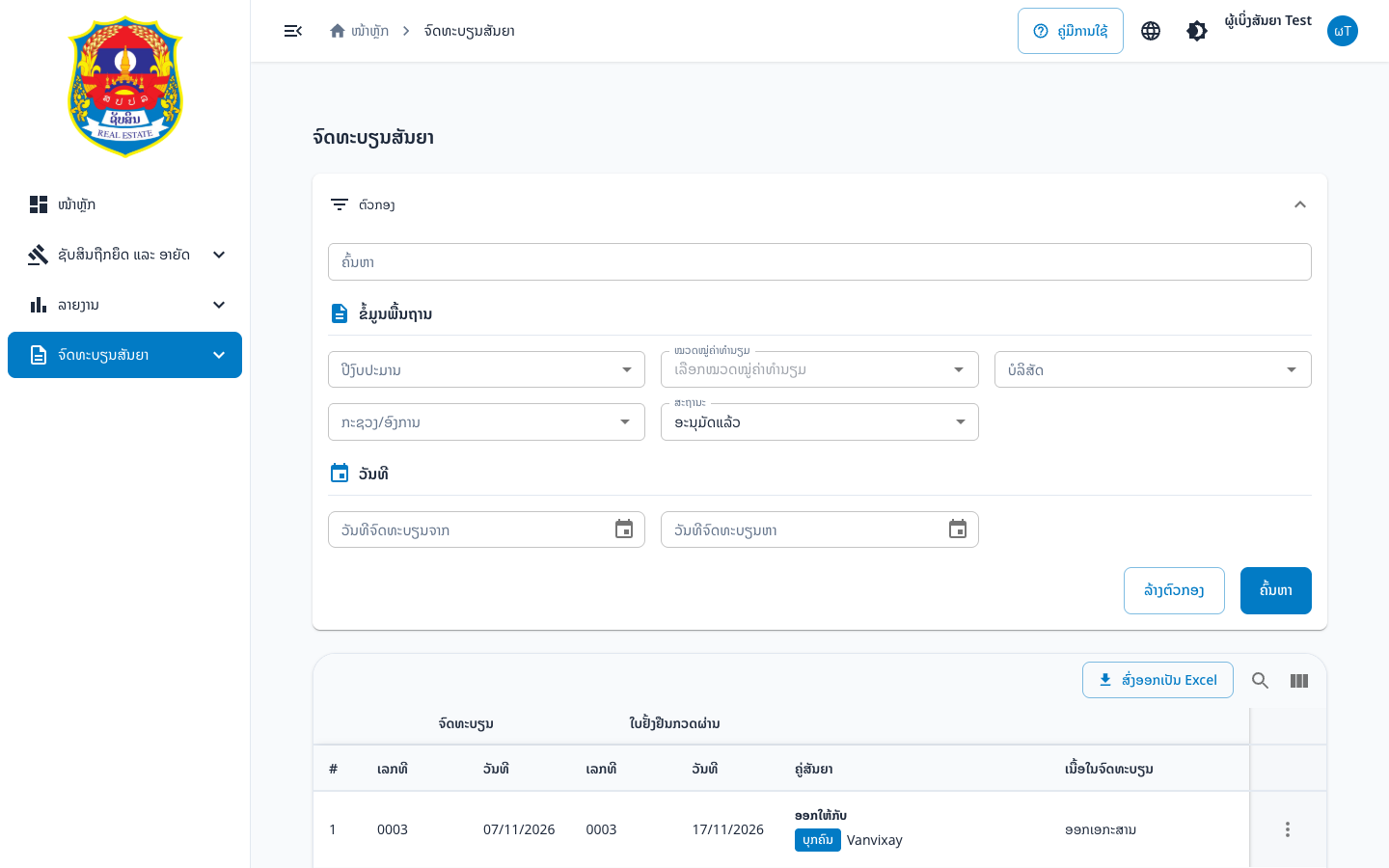
| Filter | Use it to |
|---|---|
| Search | Type a number or a party name |
| Fiscal year | See the contracts of that year |
| Fee category | Filter by type of fee |
| Company | Filter by company |
| Ministry/organisation | Filter by ministry or organisation |
| Status | Filter by the contract status, for example Approved |
| Registration date from / to | See contracts in a date range |
Click Search to apply and Clear filters to start again.
The ⋮ menu of each row
Click ⋮ at the end of the row. The menu depends on your permissions and the contract state.
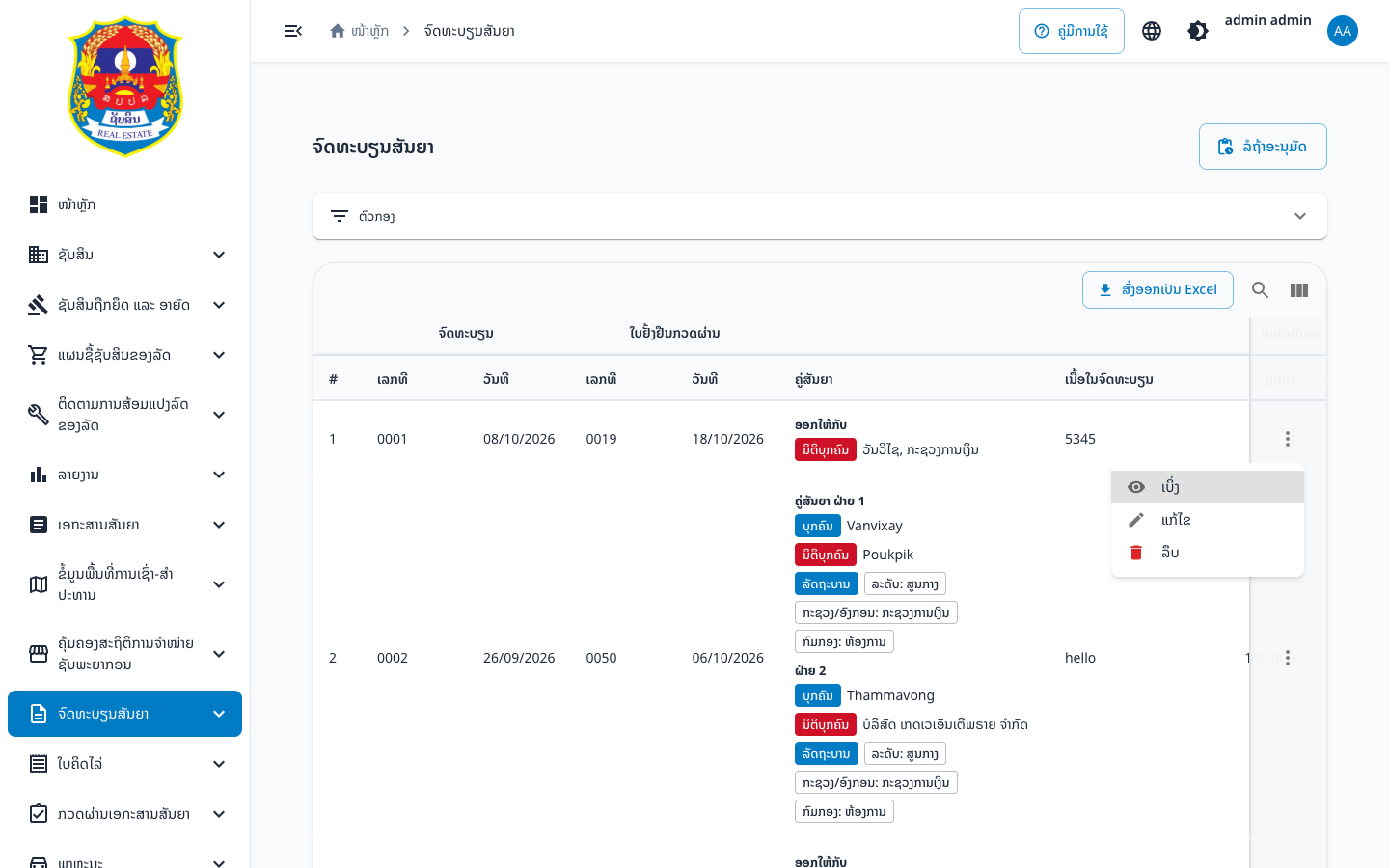
| Menu | What it does | Shown when |
|---|---|---|
| Approve | Opens the approval page | You can approve and the contract is waiting |
| View | Opens the details | Everyone who can open this page |
| Edit | Change the contract | You can edit and the contract is not completed |
| Delete | Delete the contract | You can delete and the contract is not completed |
Waiting for approval button
At the top right, people who can approve see a Waiting for approval button that opens the list of contracts still to approve. See Waiting for approval.
Export to Excel
Click Export to Excel above the table. The filtered list is saved as an Excel file. A long list may take a moment and a progress bar is shown.