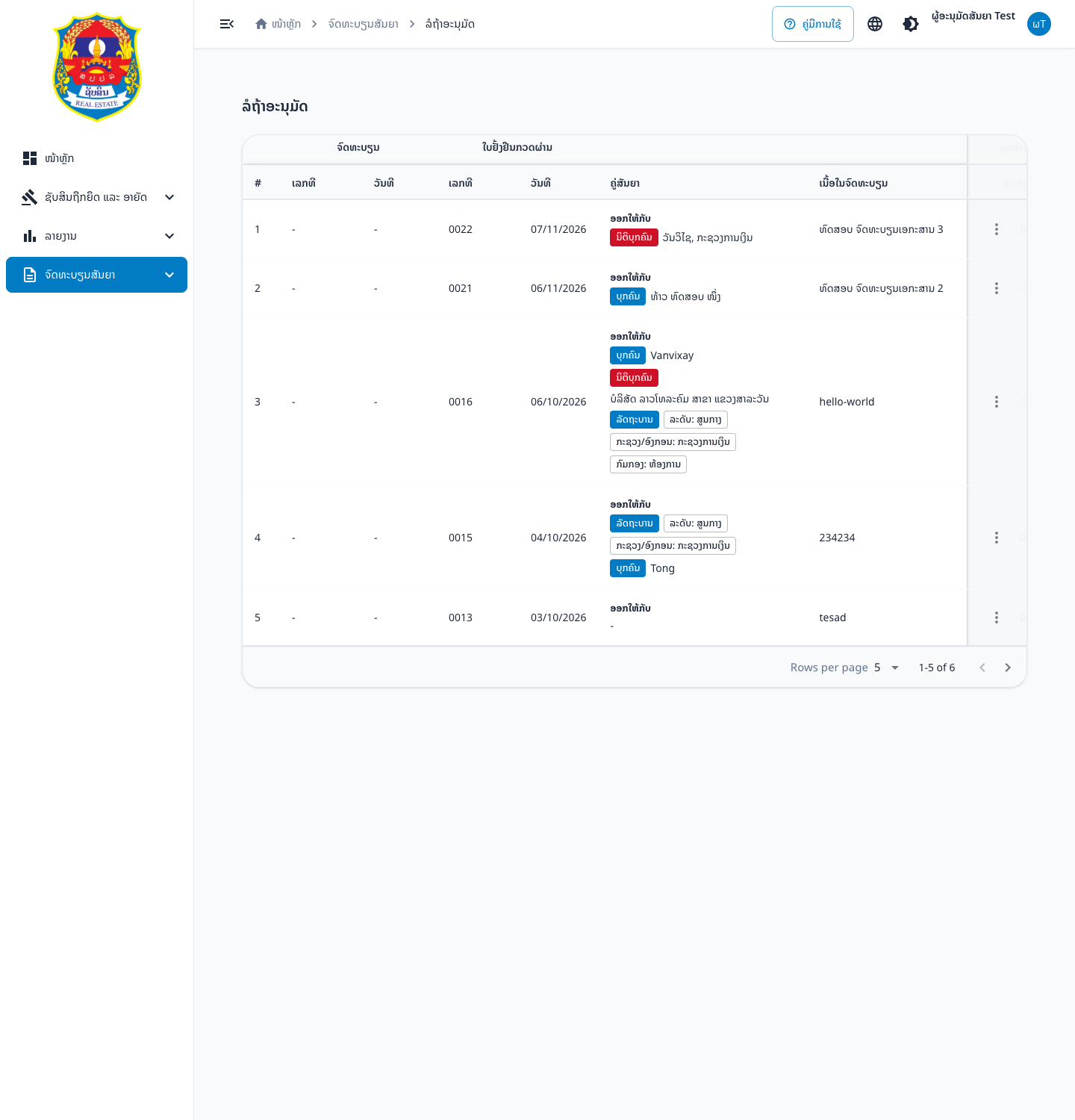
Contracts waiting for approval
Permission needed: View (to open the list) and Approve (to approve)
Open the waiting list
On the Contract list click the Waiting for approval button at the top right.
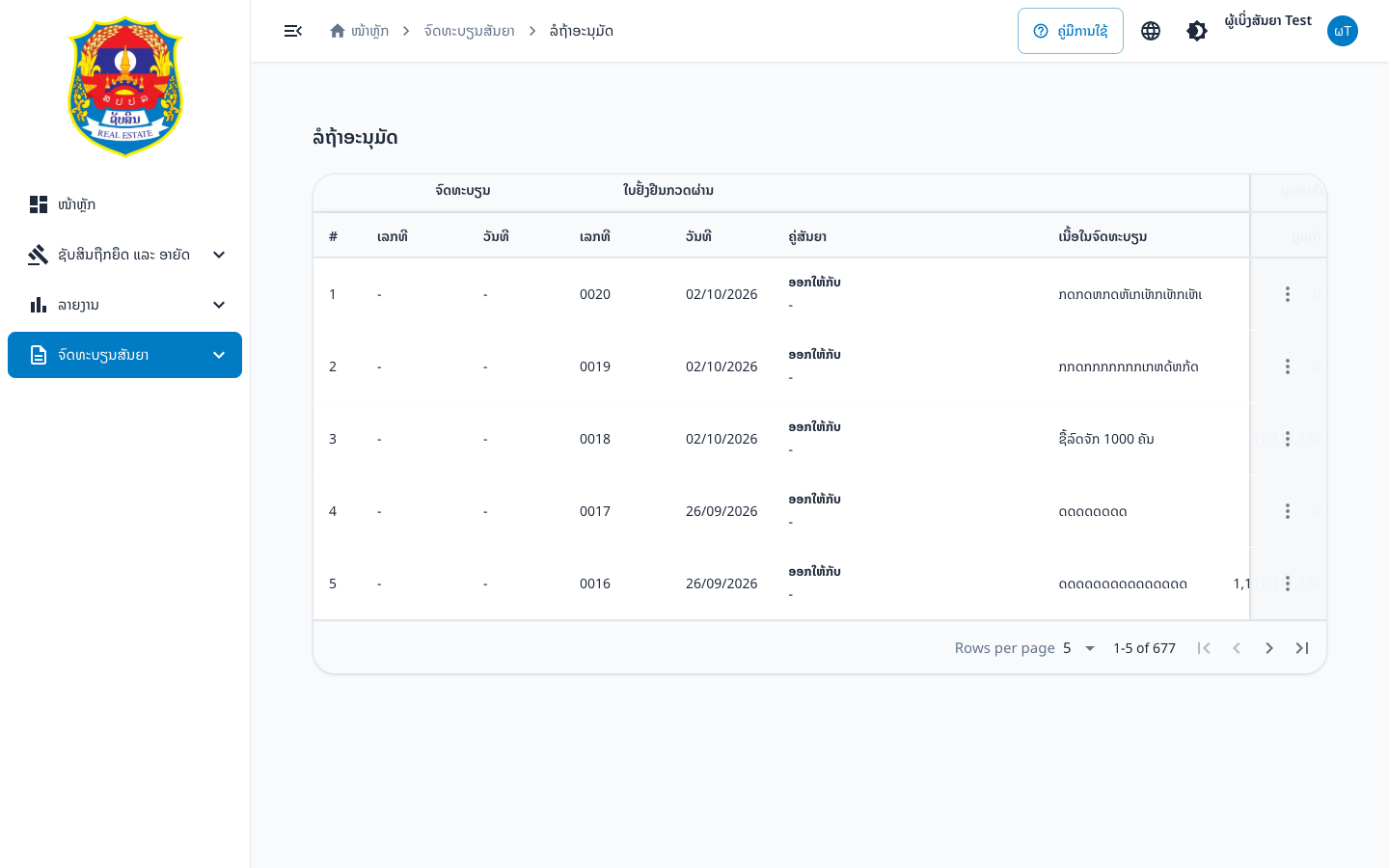
Contracts that do not yet have a registration number and date are here (the registration "number" and "date" columns show a dash). Each row shows the certificate number, the parties and the content.
Someone with only View can open this list but cannot approve.
Approve a contract
Permission needed: Approve
-
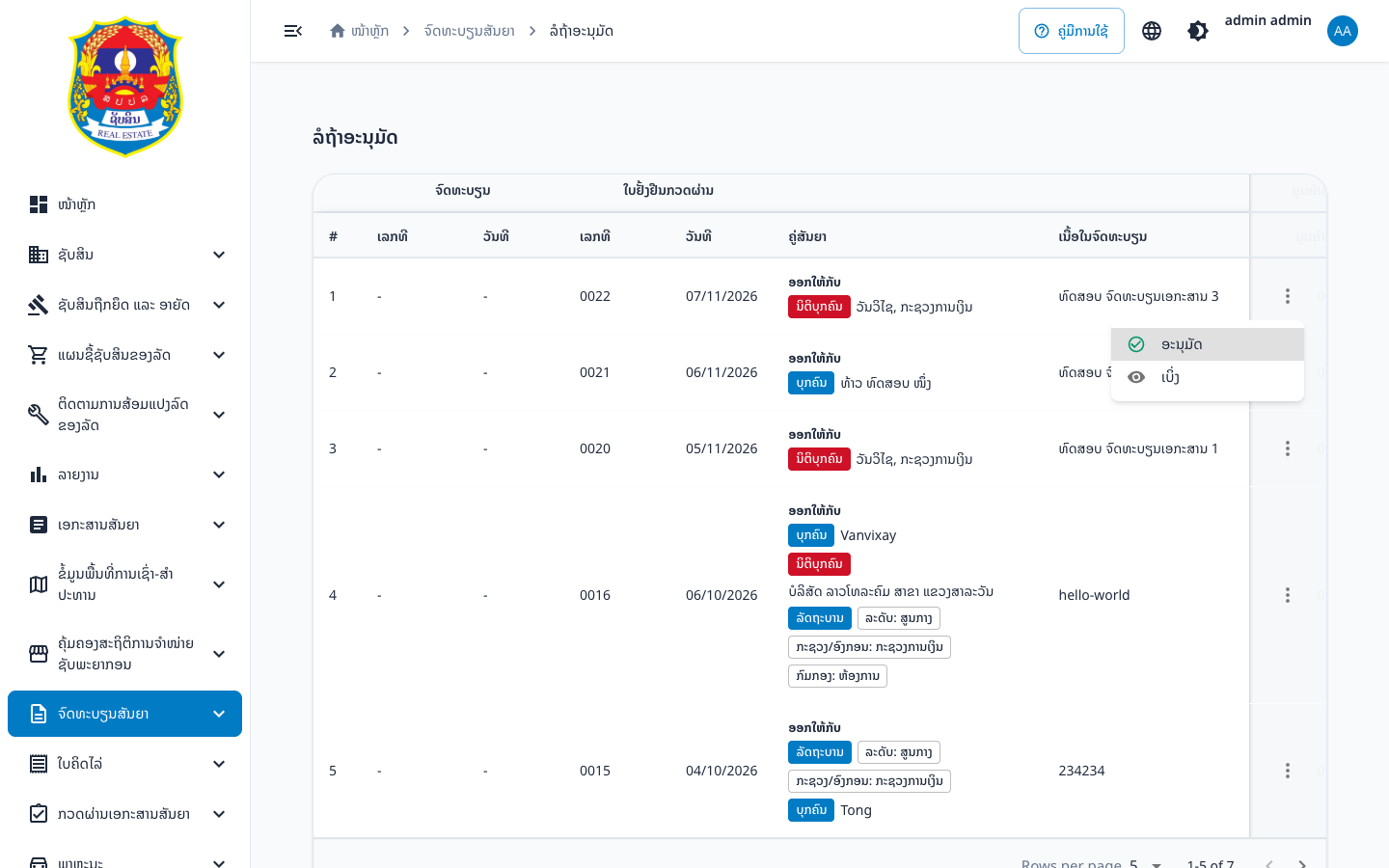
Click ⋮ at the end of the row of the contract.
-
Choose Approve.
-
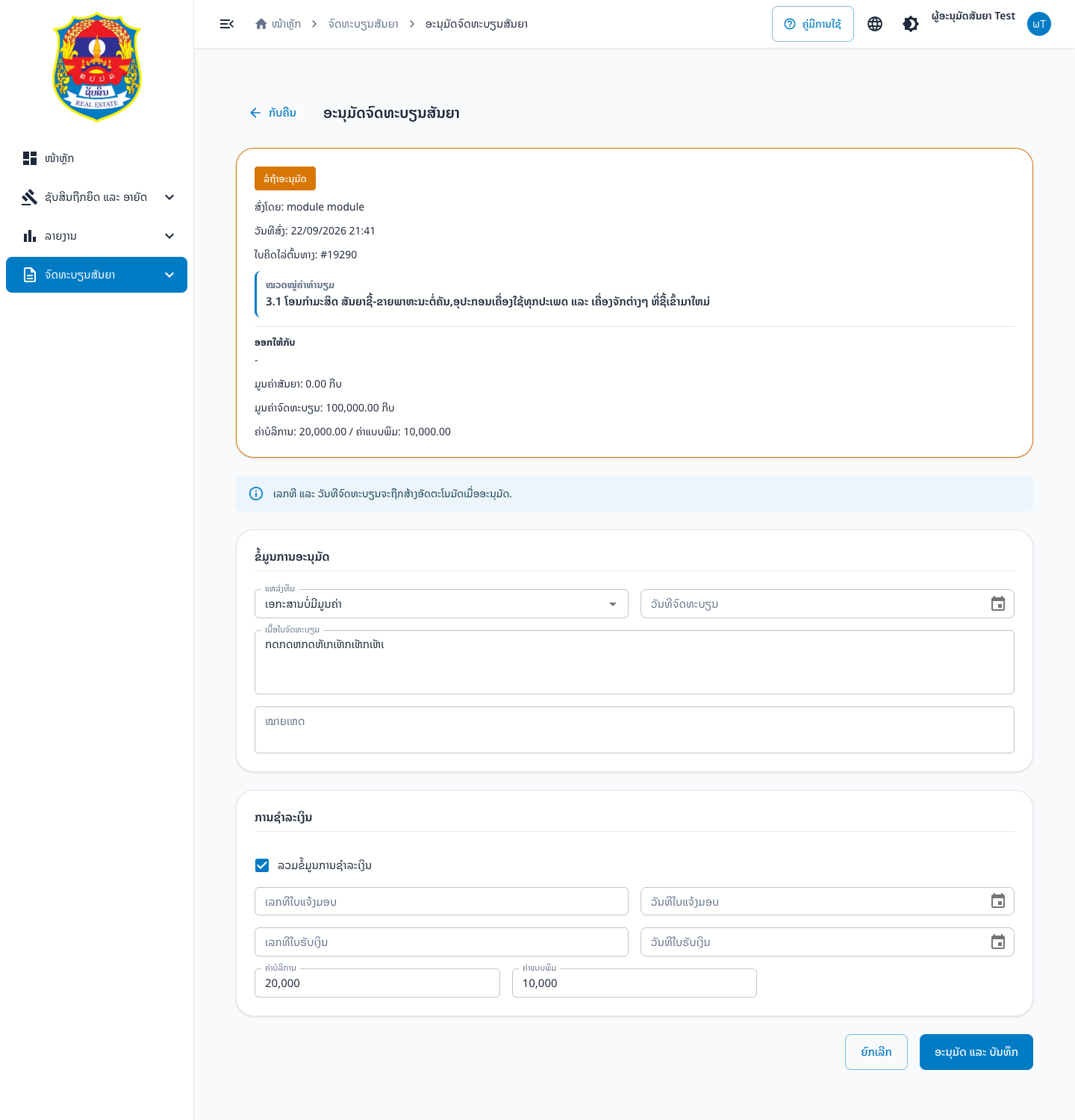
Check the orange box at the top: who sent it, when, the source calculation sheet, the parties and the values.
-
Check and change "Approval information" if needed: funding source, registration date, registration content and remarks.
-
Check "Payment": if Include payment information is ticked you can enter the delivery note, receipt, service fee and form fee.
-
Click Approve and save.
-
The system asks "Approve this contract and create the registration number?". Click Approve and save again to confirm.
You do not type the number. The system gives the next number. If you do not choose a registration date, the approval date is used.
After approval
The system says Contract approved and opens the details of that contract, which now has a registration number and date and the status Approved.
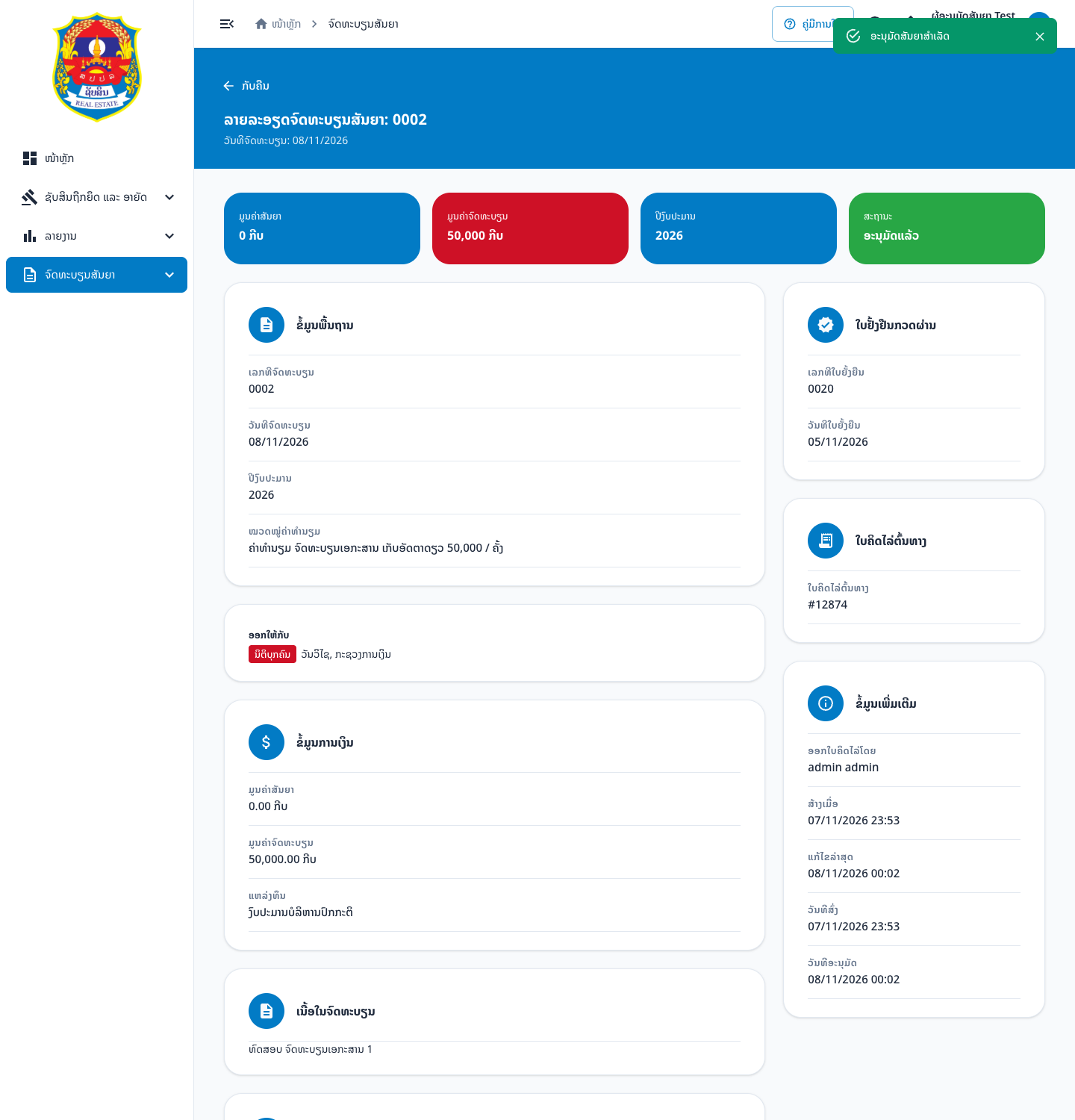
The contract leaves the waiting list.