Account Approval
Permission needed: View. Approving needs Approve.
Operators (companies) register their own accounts and must be approved on this page before they can use the system. Staff accounts created by an operator are approved automatically.
Open the page
Click Mineral Sales in the left menu, then click Account Approval.
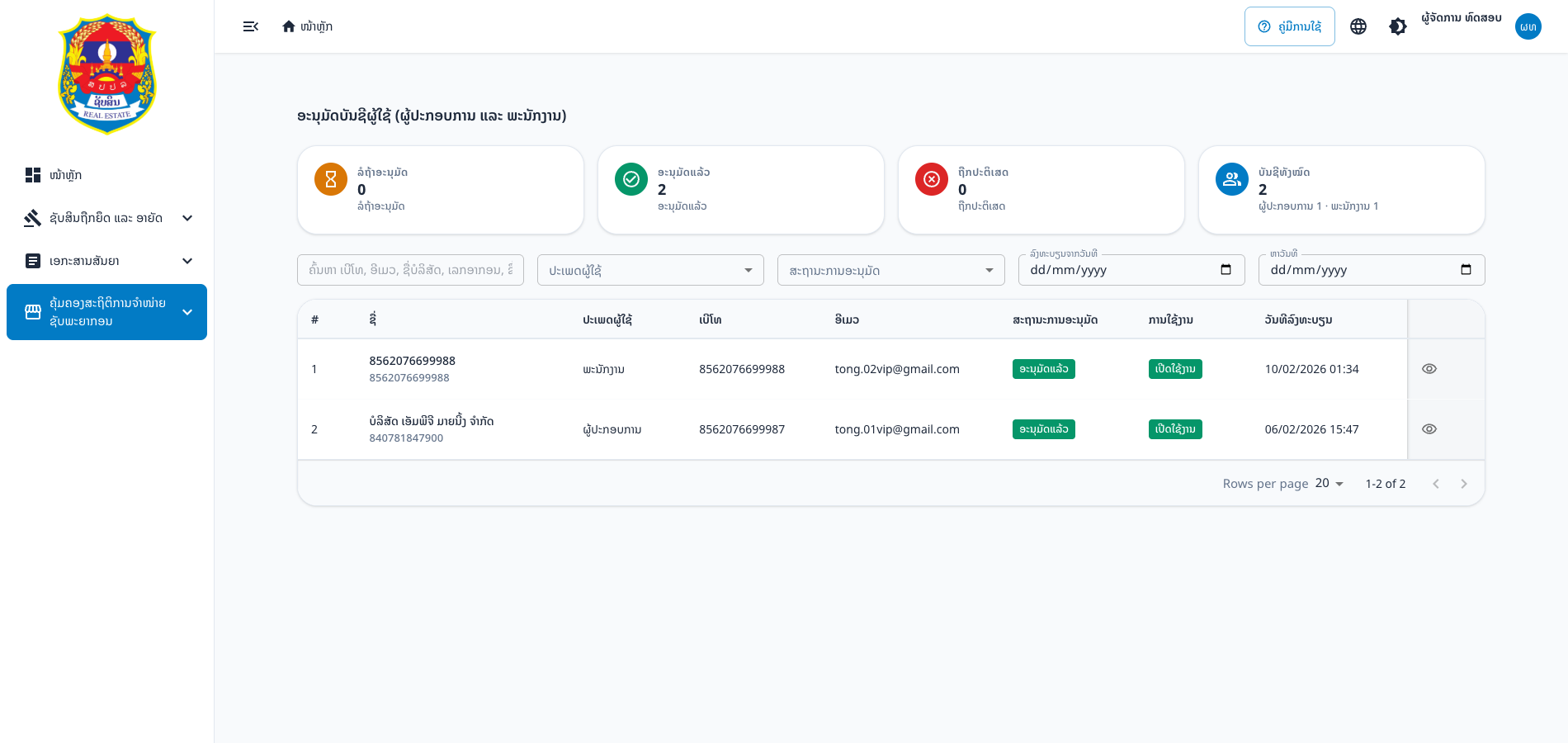
The boxes at the top show Pending, Approved, Rejected and Total accounts.
The table
| Column | Shows |
|---|---|
| Name | User name or company name |
| User type | Operator or staff |
| Phone, Email | Contact details |
| Approval state | Pending, Approved or Rejected |
| Active | Enabled or disabled |
| Registered at | Date and time of registration |
Filter by User type, Approval state and Registered at dates.
View account details
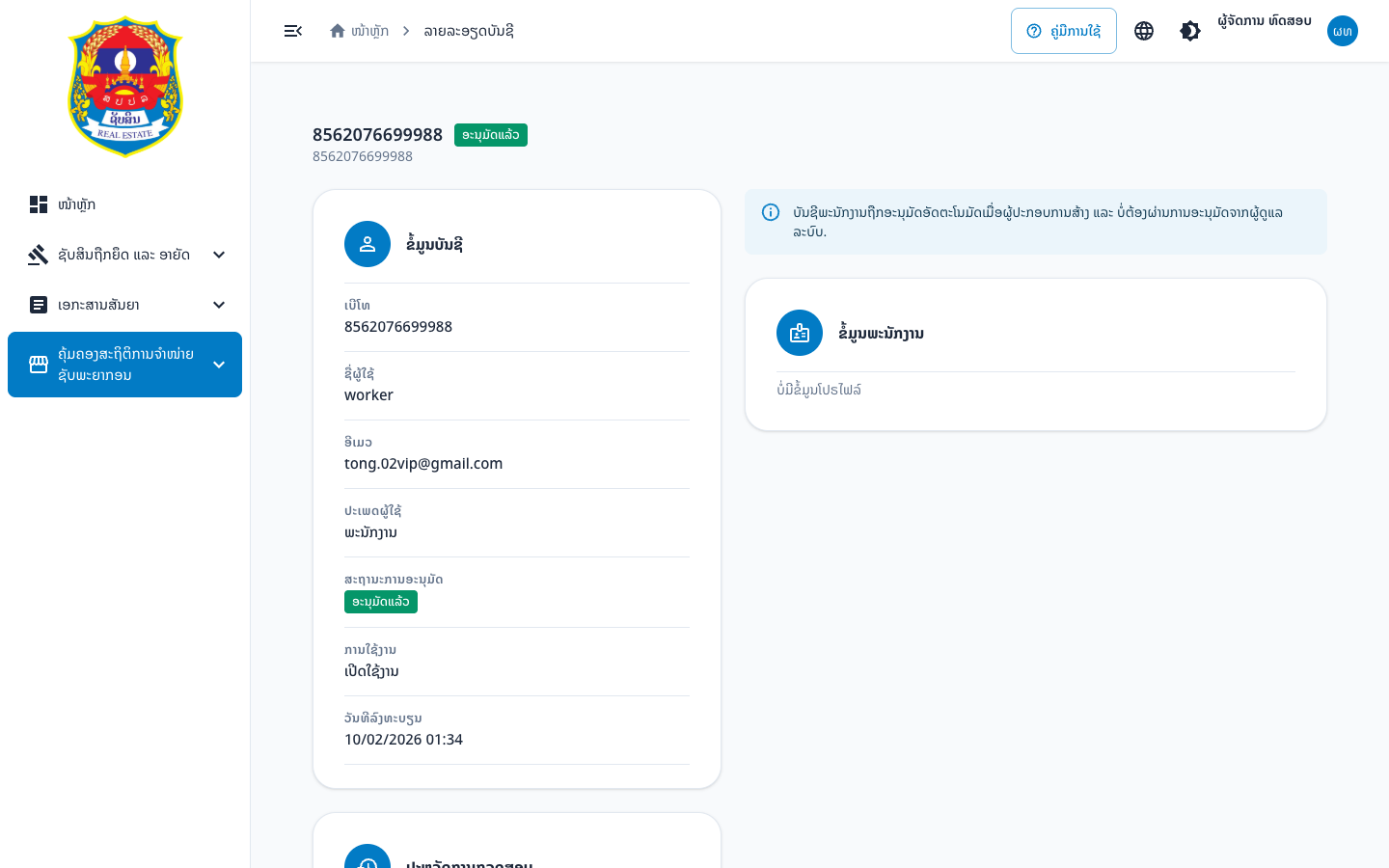
Click the eye icon at the end of a row. The page shows phone, user name, email, user type, status, registration date and the audit history (approval date, approver, notes).
Approve or reject an account
For an account that is Pending, the details page has Approve and Reject buttons (only for people with the Approve permission). Check the data before you click. When rejecting, type a reason.
On the test system there is no pending account, so there is no picture of this step.