Mineral Sales
This section tracks the sale of minerals by companies: the yearly plan a company asks to sell, the sales permit, the resource fee notice, and finally the transport of the mineral out of the mine.
How to open it
Click Mineral Sales in the left menu and the sub-menus open. If you do not see it, your account has no access yet. See Permissions.
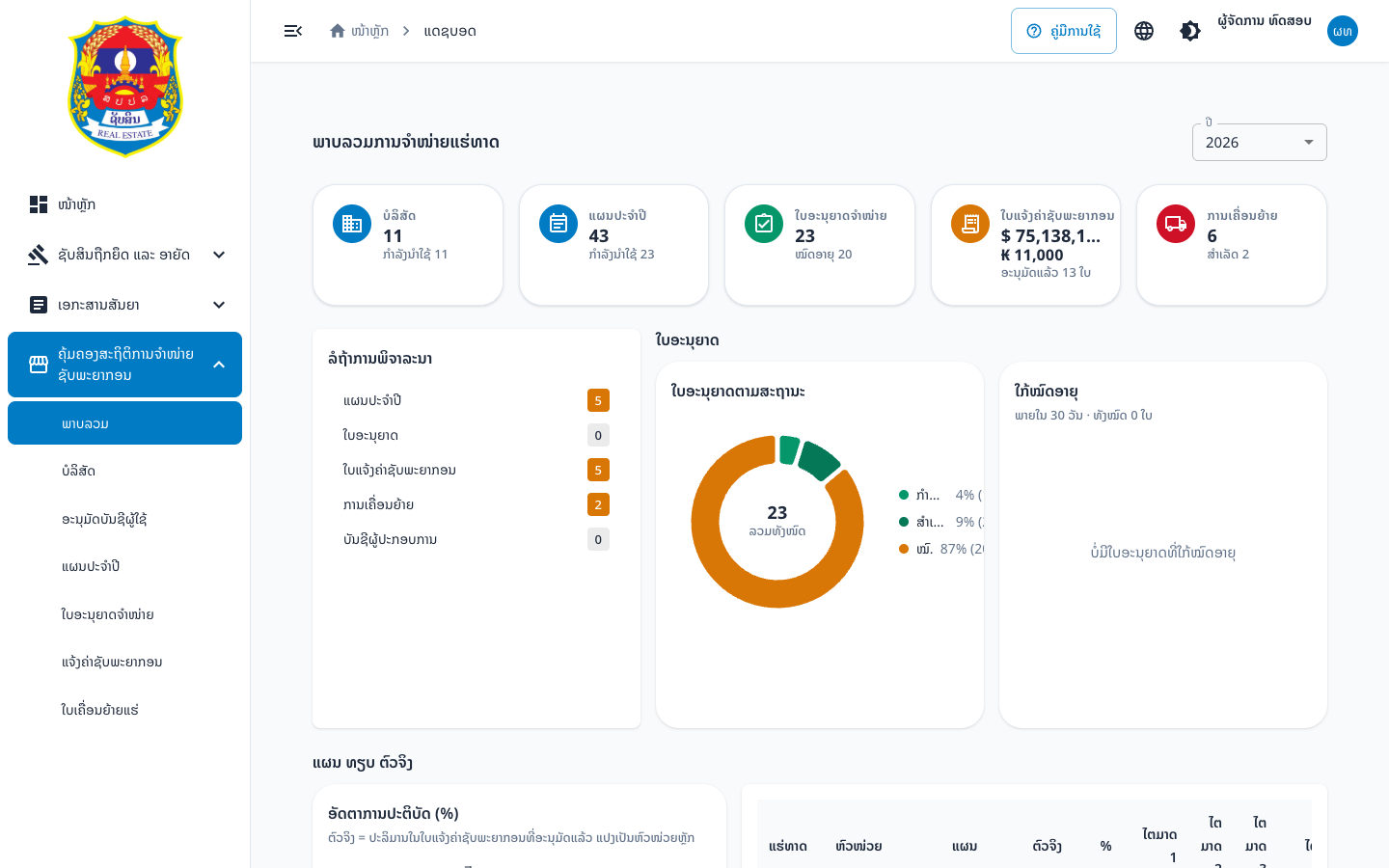
| Sub-menu | Use it to | Guide |
|---|---|---|
| Overview | See totals and what is waiting for a decision | Overview |
| Companies | Keep company records | Companies |
| Account Approval | Approve operator and staff accounts | Account Approval |
| Annual Plans | A company's yearly sales plan | Annual Plans |
| Sales Permits | Permits issued under a plan | Sales Permits |
| Resource fees | Fee notices and payments | Resource fees |
| Movement permits | Track mineral transport | Movement permits |
Order of work
Each document builds on the one before:
- Companies: register the company.
- Annual Plans: what the company will sell this year. Once the plan is approved and Active, permits can be issued.
- Sales Permits: permission to sell under the plan, within set dates and quantity.
- Resource fees: the fee for the mineral to be sold, then record the payment.
- Movement permits: after the fee is fully paid, the mineral can leave the mine and is tracked to its destination.
The "next step" button
Every document shows a step bar at the top. The blue circle is the current step, and on the right there is one next-step button, such as Submit for approval or Approve.
- The ⋮ button holds the other actions, such as Reject or Cancel.
- If your account lacks the permission for the next step, a note says so instead of a button.
- A grey button means the step cannot be done yet, for example data is missing or the permit has expired. Hover over the button to see why.
- Reject and Cancel need a reason of at least 10 characters.