Permissions
The buttons and menus you see depend on your permissions. The system administrator sets them.
The permissions
| Permission | What it allows |
|---|---|
| View | Open lists and details, filter, export to Excel, print |
| Add | Create documents (plans, permits, fee notices, movement permits) and add companies |
| Edit | Change data, submit for approval, cancel a draft; depart, record arrival and complete a movement |
| Approve | Approve, reject, activate, close a plan, record payments |
| Delete | Delete documents |
View is needed first. Without it you will not see the menu at all. Each page (Companies, Plans, Permits, Fee notices, Movement permits) has its own set of permissions.
Summary table
✔ = can do, ✘ = cannot. Checked with a test account for each permission on the test system on 08/11/2026.
| Action | Viewer | Officer | Approver | Manager |
|---|---|---|---|---|
| View lists and details, export Excel | ✔ | ✔ | ✔ | ✔ |
| Add plans, permits, fee notices, movement permits, companies | ✘ | ✔ | ✘ | ✔ |
| Edit data | ✘ | ✔ | ✘ | ✔ |
| Submit for approval | ✘ | ✔ | ✘ | ✔ |
| Approve, reject, activate, close a plan | ✘ | ✘ | ✔ | ✔ |
| Delete | ✘ | ✘ | ✘ | ✔ |
What each account sees
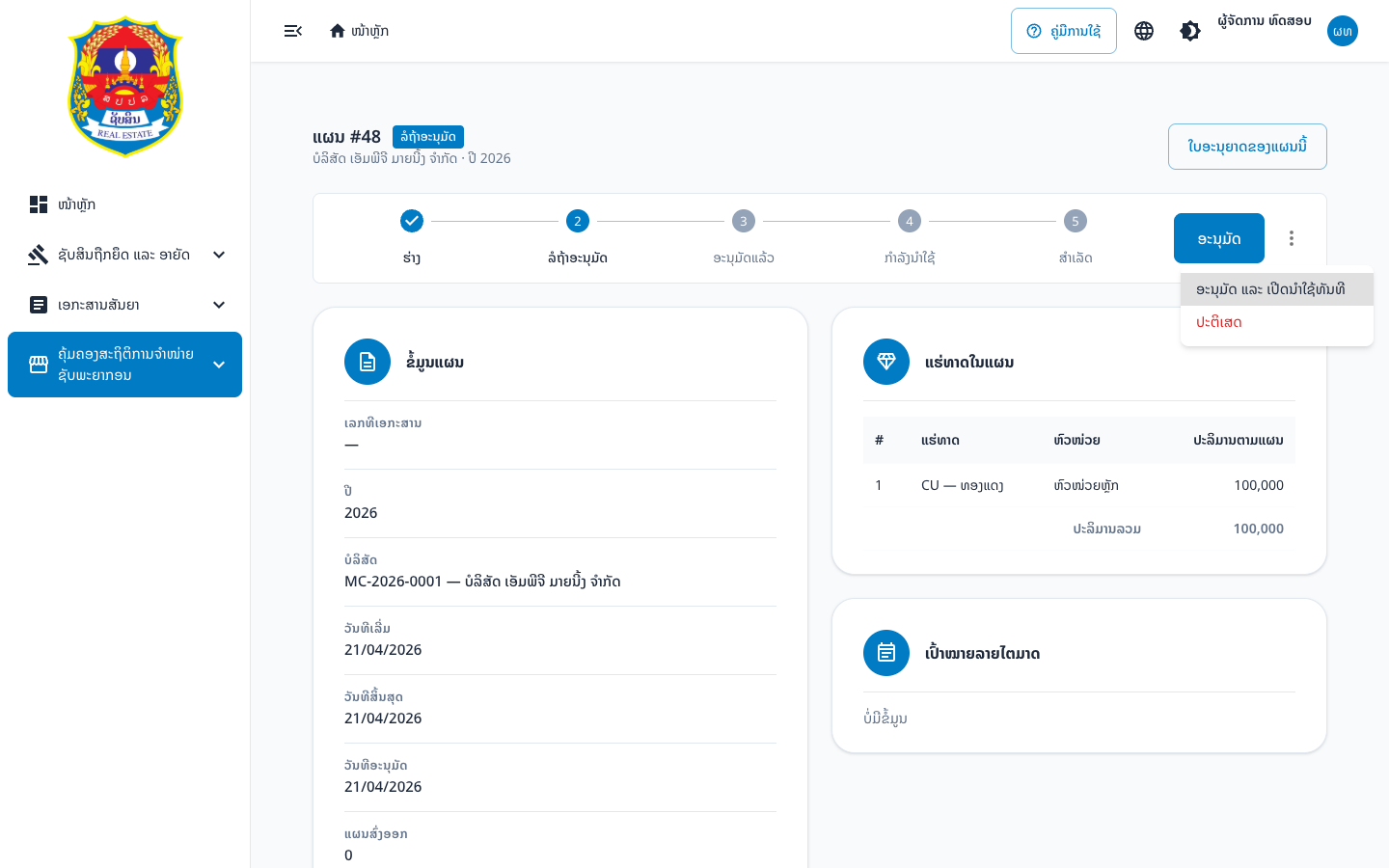
The examples are a plan that is Submitted.
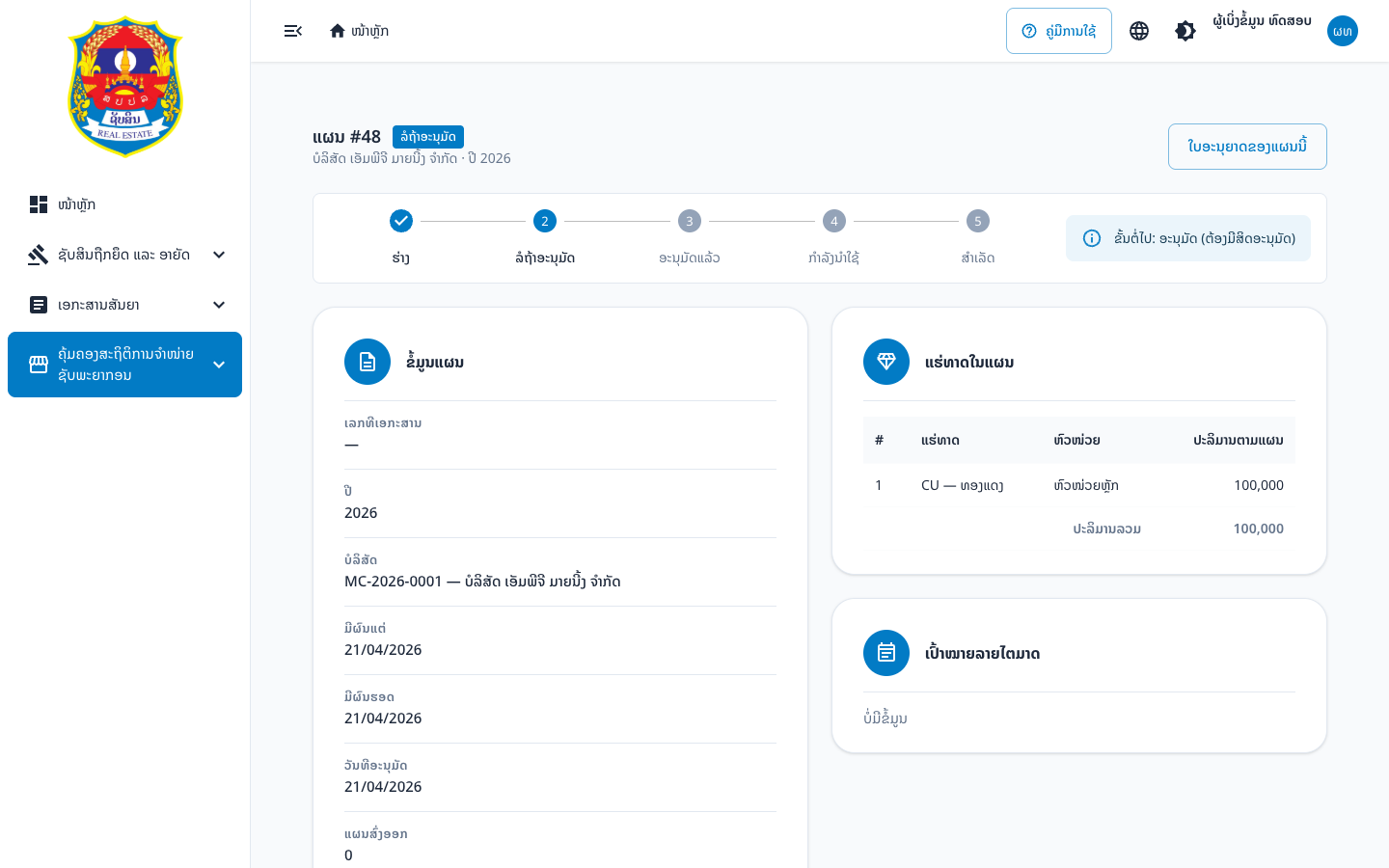
Viewer
View only. There is no Add plan button and no edit button. The next step says the Approve permission is needed.
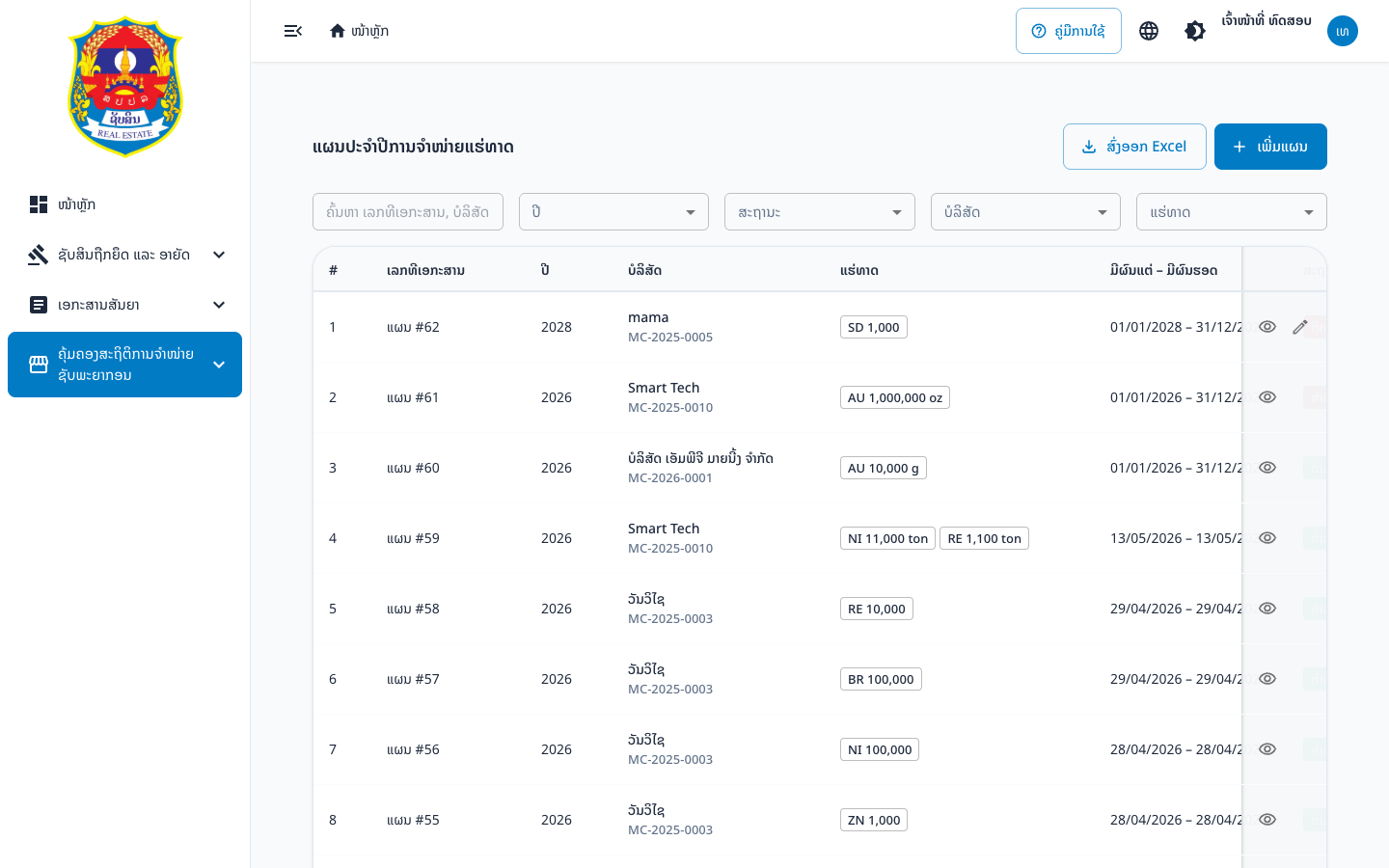
Officer
Can add and edit but not approve. The plan list has Add plan and an edit icon.
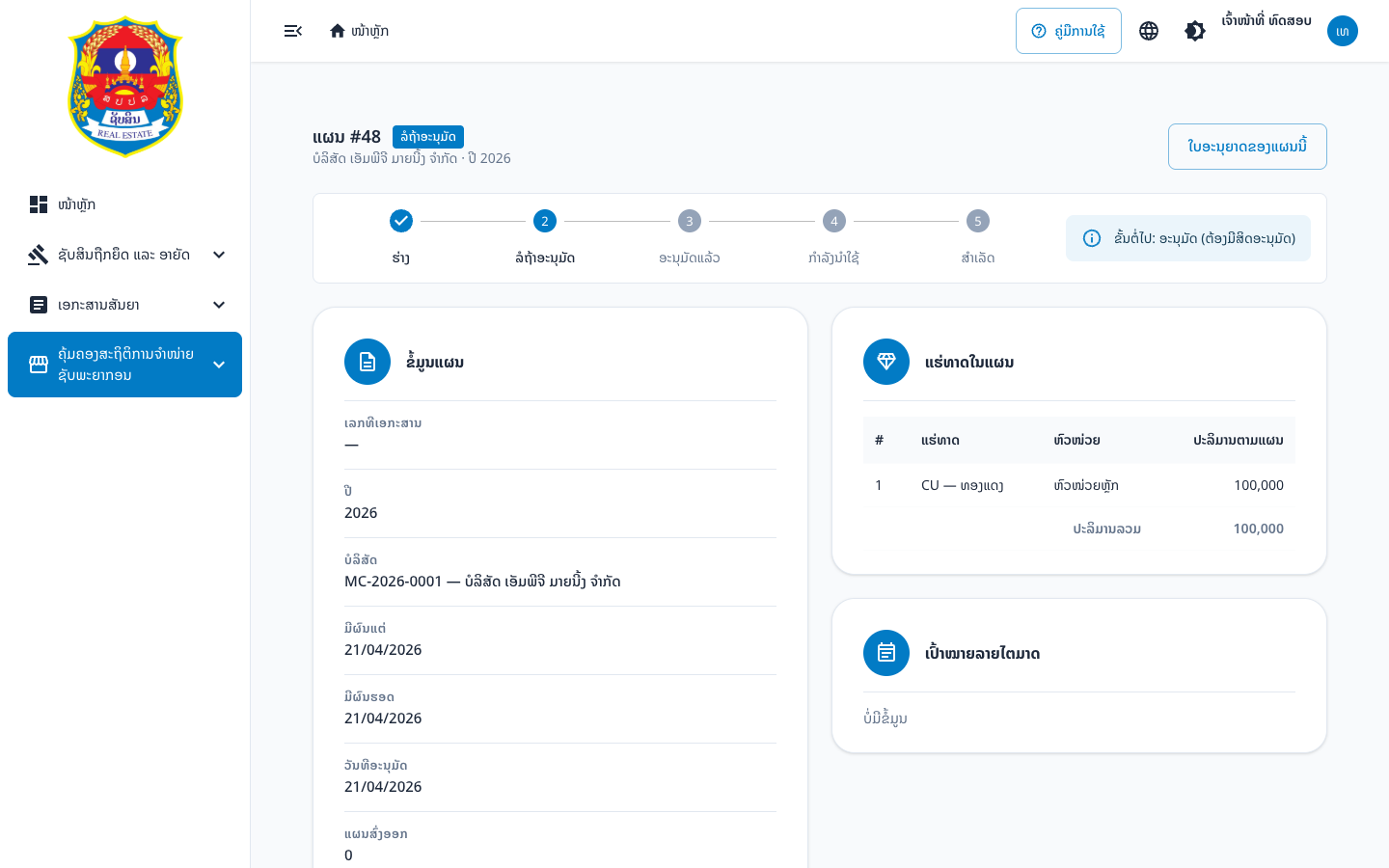
When a plan is waiting for approval, the officer sees a note that the approver must continue.
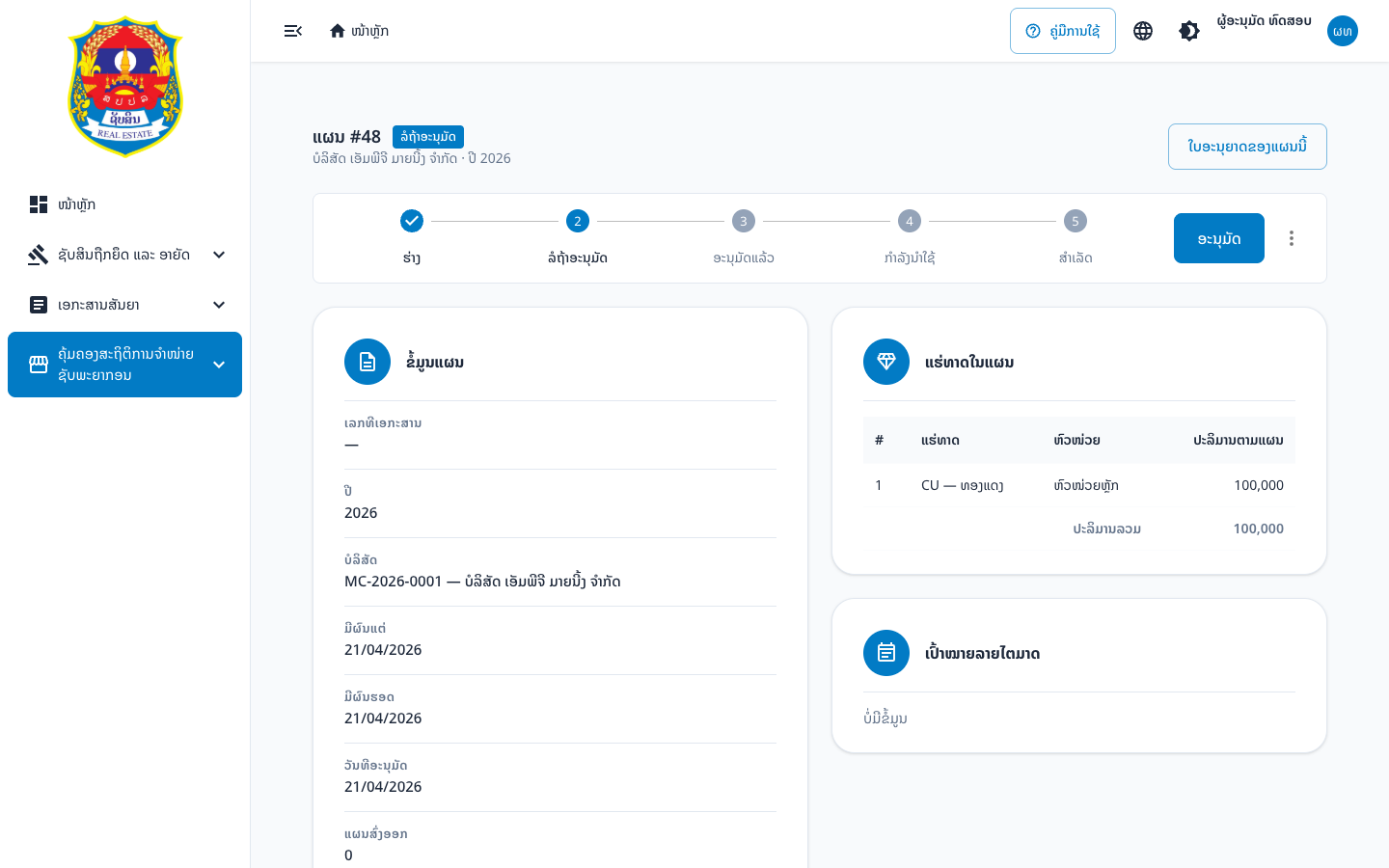
Approver
Sees Approve and a ⋮ button for Reject. Cannot add or edit.
Manager
Can do everything, including delete.
When the button you need is missing
Your account does not have the permission yet. Tell the system administrator what you need to do, for example "I need permission to approve annual plans". After the change, sign out and sign in again.