Companies
Permission needed: View. Adding and editing need Add and Edit. Deleting needs Delete.
A company must exist before you can make an annual plan for it.
Open the page
Click Mineral Sales in the left menu, then click Companies.
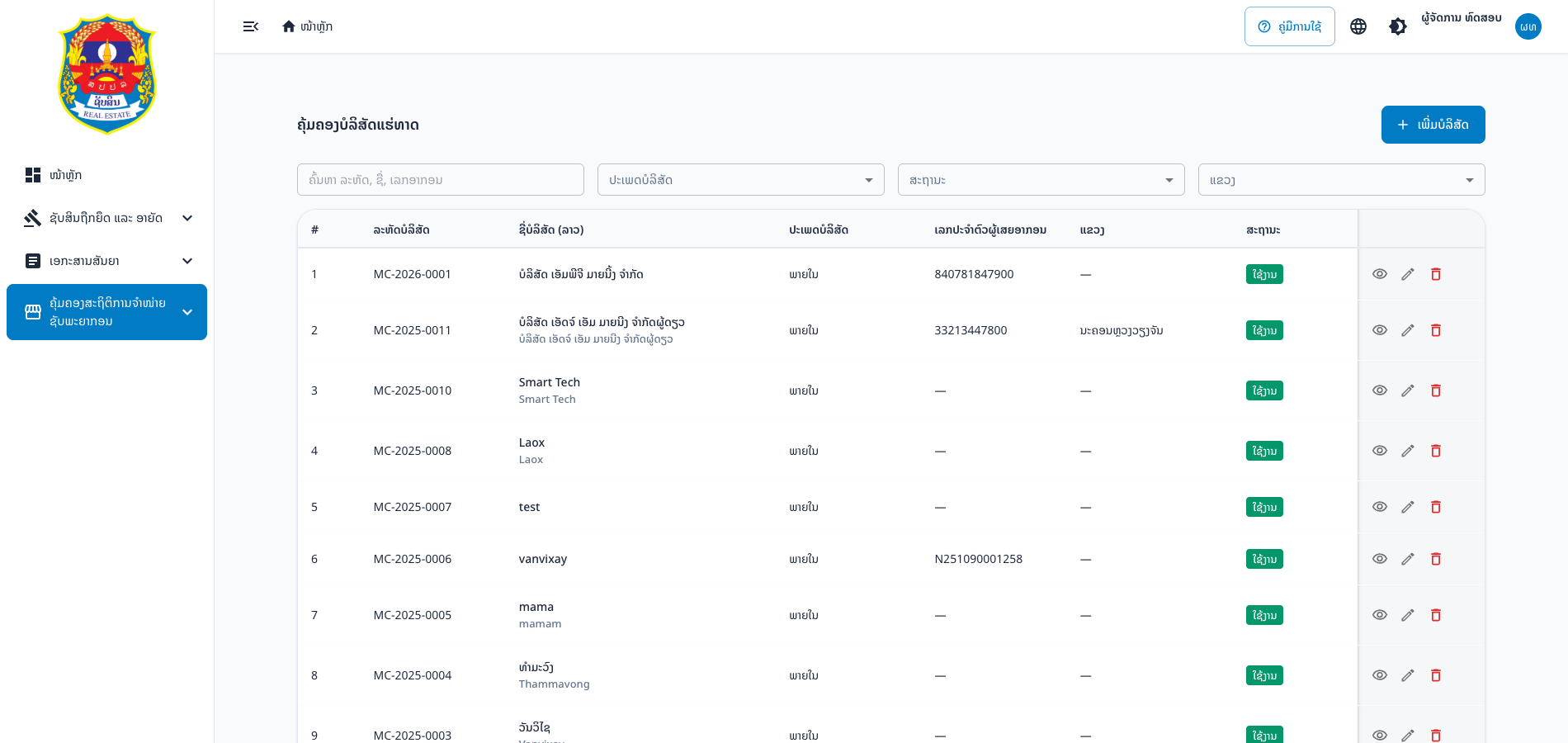
The table shows company code, name (Lao and English), company type (domestic, foreign or joint venture), tax ID, province and status.
Search and filter
Use the boxes above the table to search by code, name or tax ID, and filter by Company type, Status and Province.
View details
Click the eye icon at the end of a row.
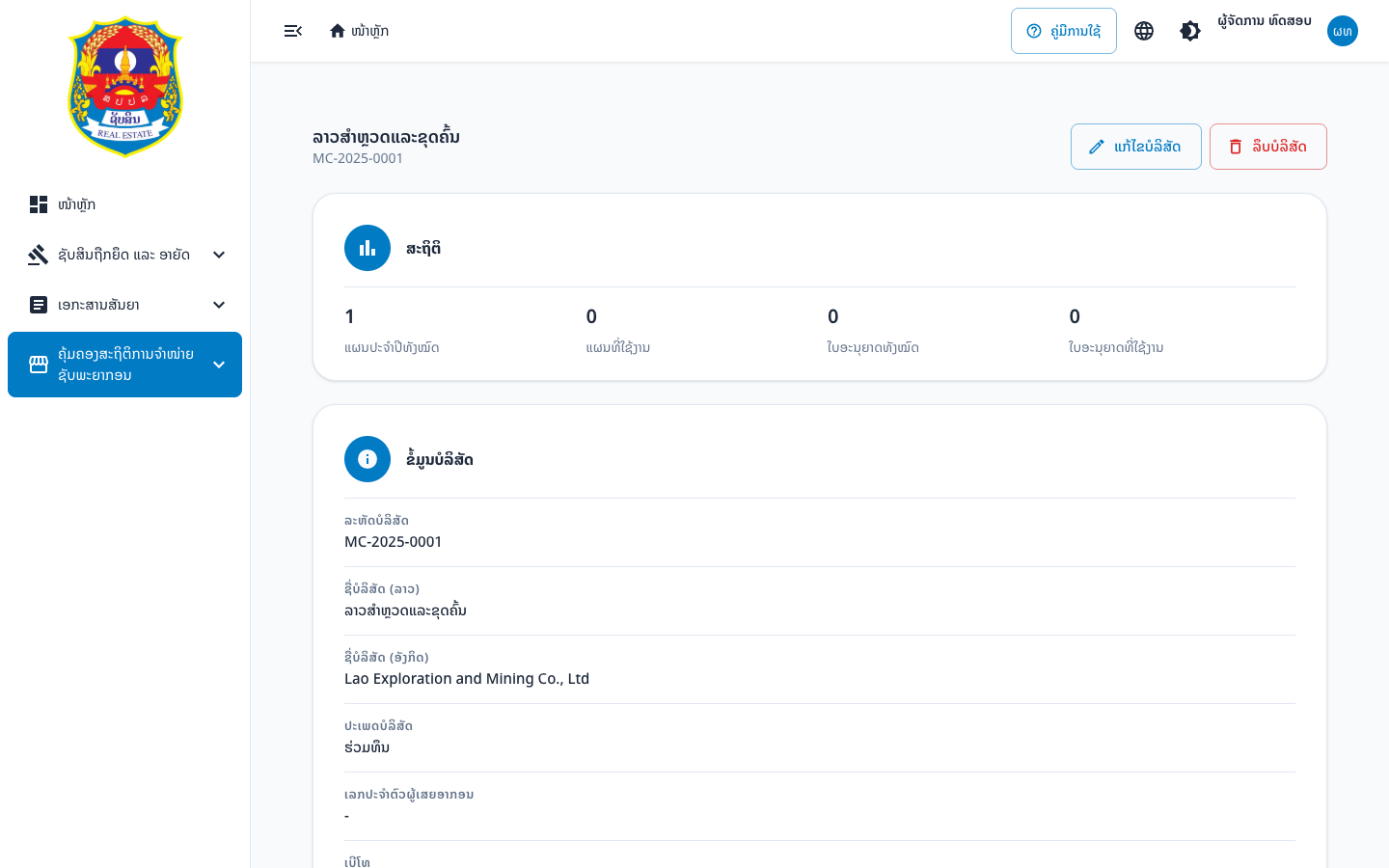
The page has Edit company and Delete company buttons (only for people with the permission).
Add a company
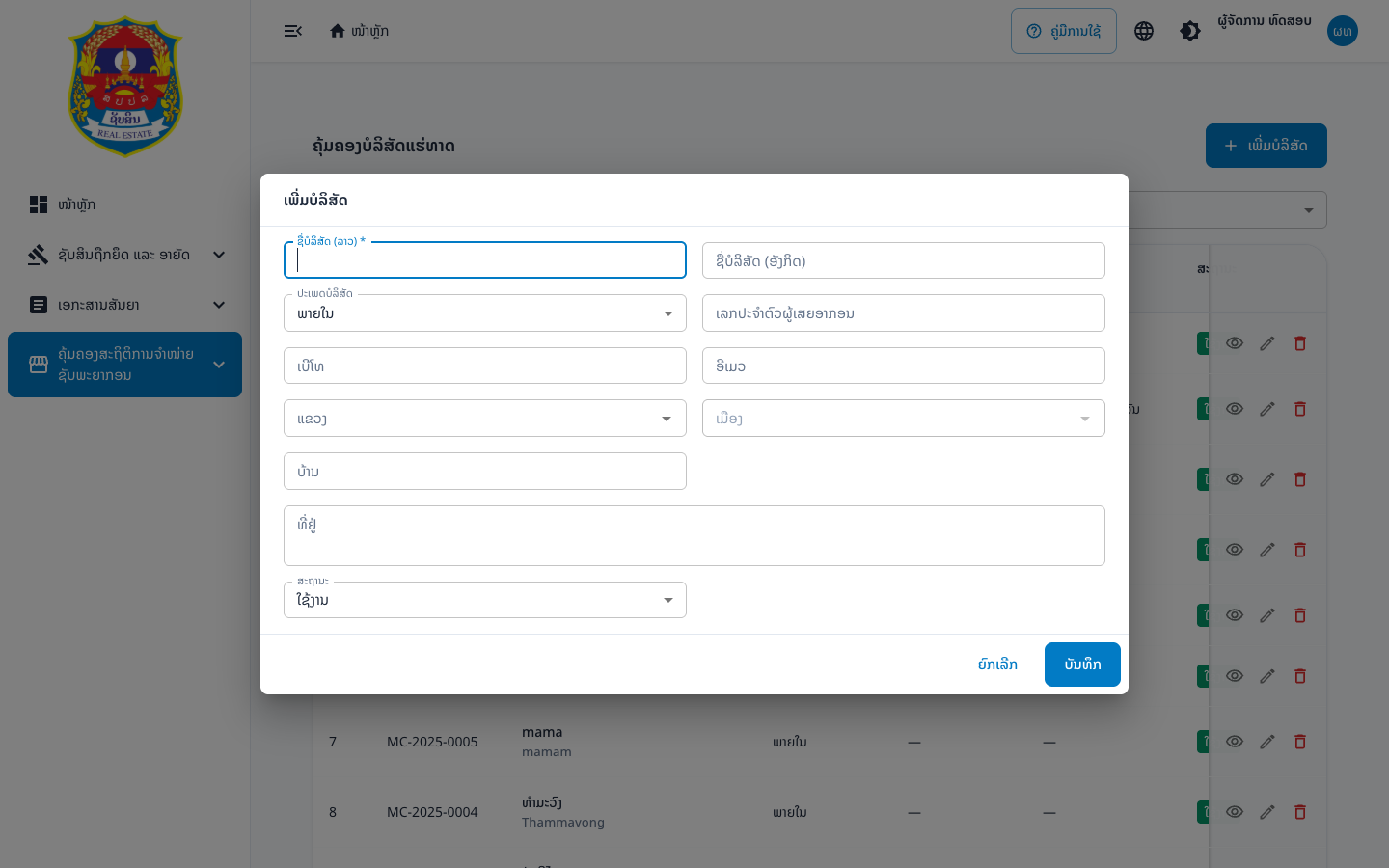
- Click Add company at the top right. A window opens.
- Type the Company name (Lao), which is required, and other data as available: English name, type, tax ID, phone, email, province, district, village, address and status.
- Click Save. The system gives the company code.
Edit or delete
Click the pencil icon to edit and the bin icon to delete. The system asks you to confirm before deleting. A company that still has unfinished plans or permits cannot be deleted.